Today, in order
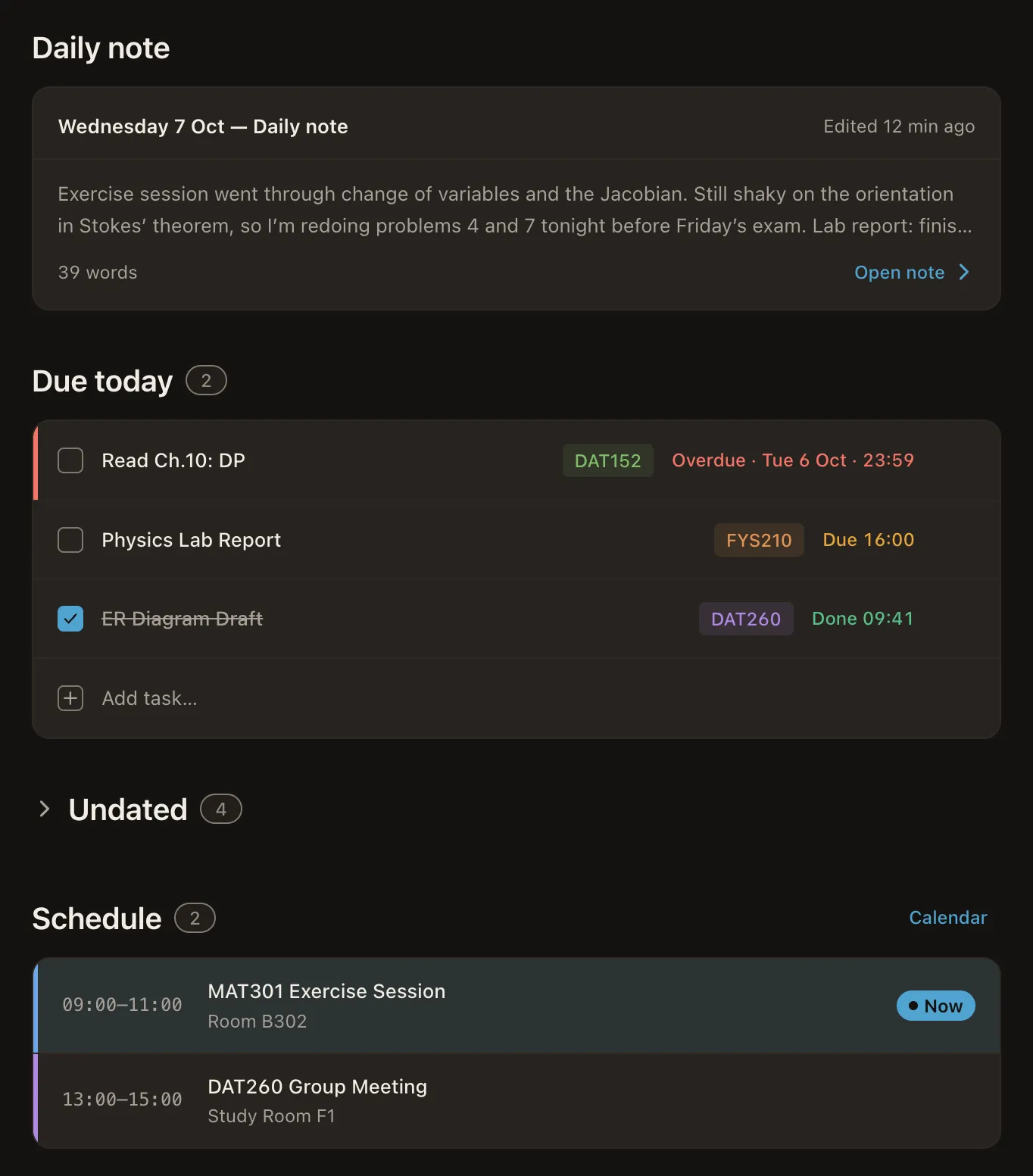
Home opens on today: a daily note, the tasks due — overdue, then due today, then done — with an inline quick-add, and the day’s schedule below. A progress pill in the header tracks how much of the day you’ve cleared.
Productivity dashboard · macOS
Atlas brings your lecture notes, your timetable and your tasks into a single window — running entirely on your Mac.
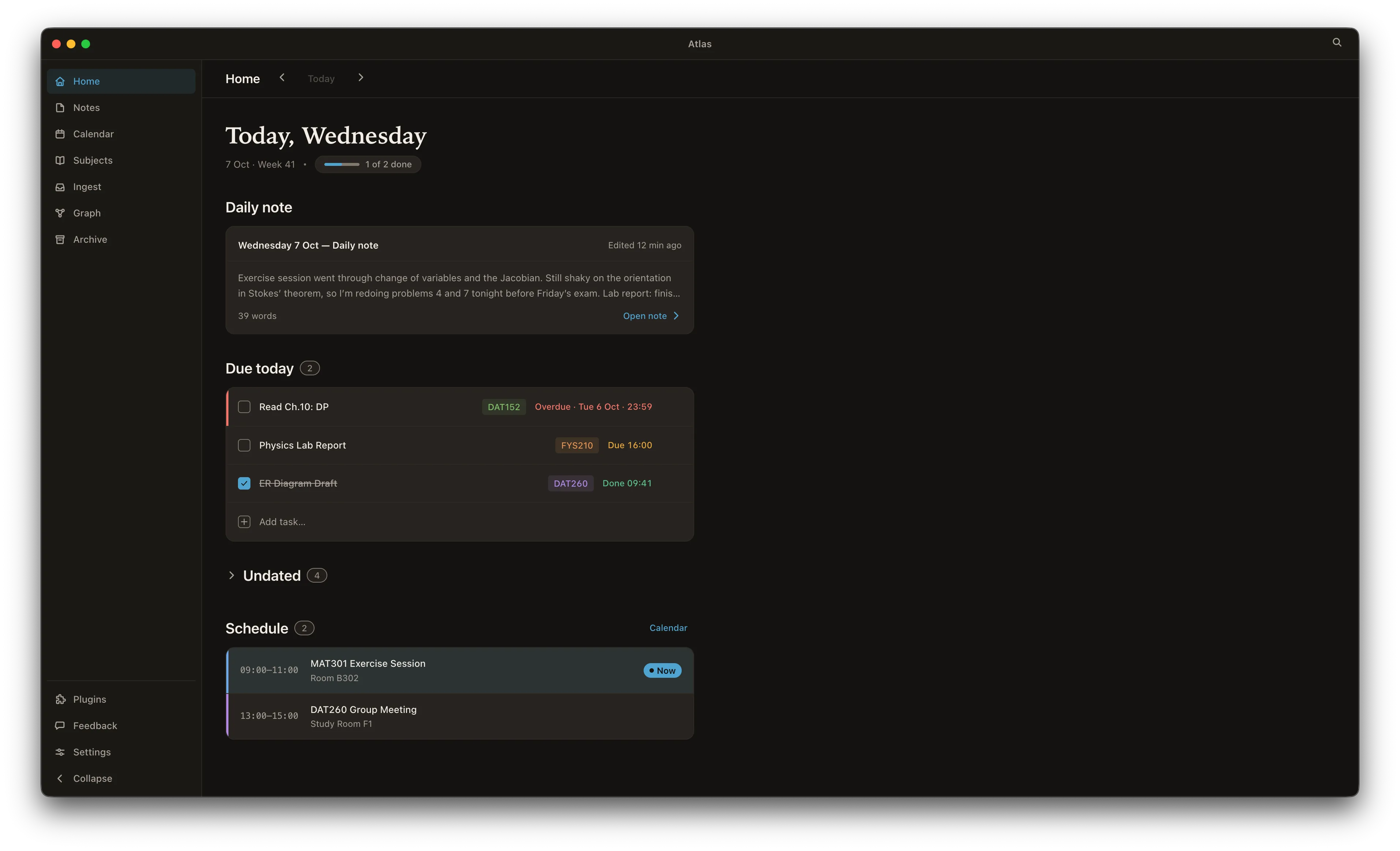
Home opens on today: a daily note, the tasks due — overdue, then due today, then done — with an inline quick-add, and the day’s schedule below. A progress pill in the header tracks how much of the day you’ve cleared.
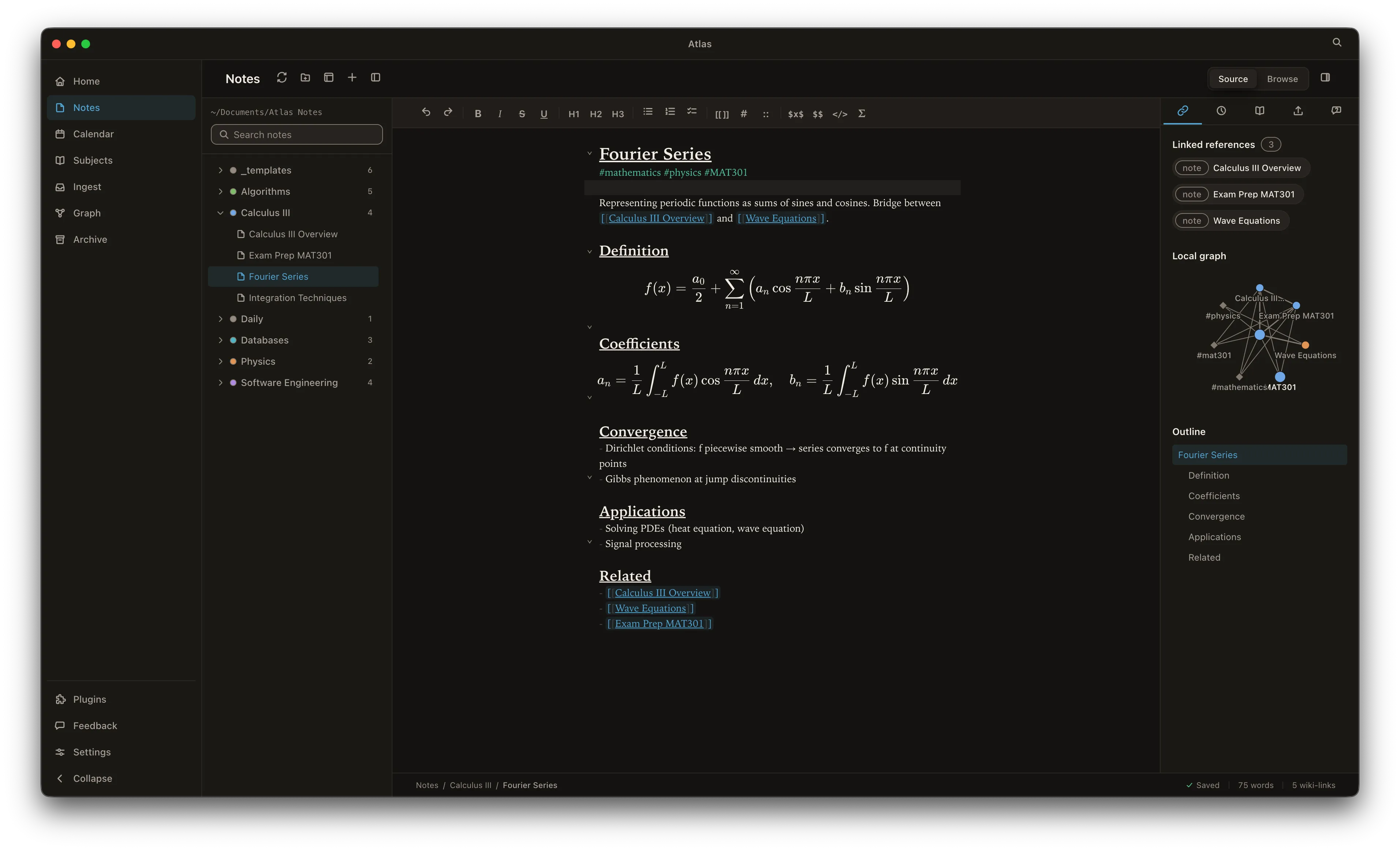
Plain-markdown notes on disk with a live-preview editor. Link anything with [[wiki-links]], #tags and @mentions, then see it all in a connected graph of notes, subjects and tasks.
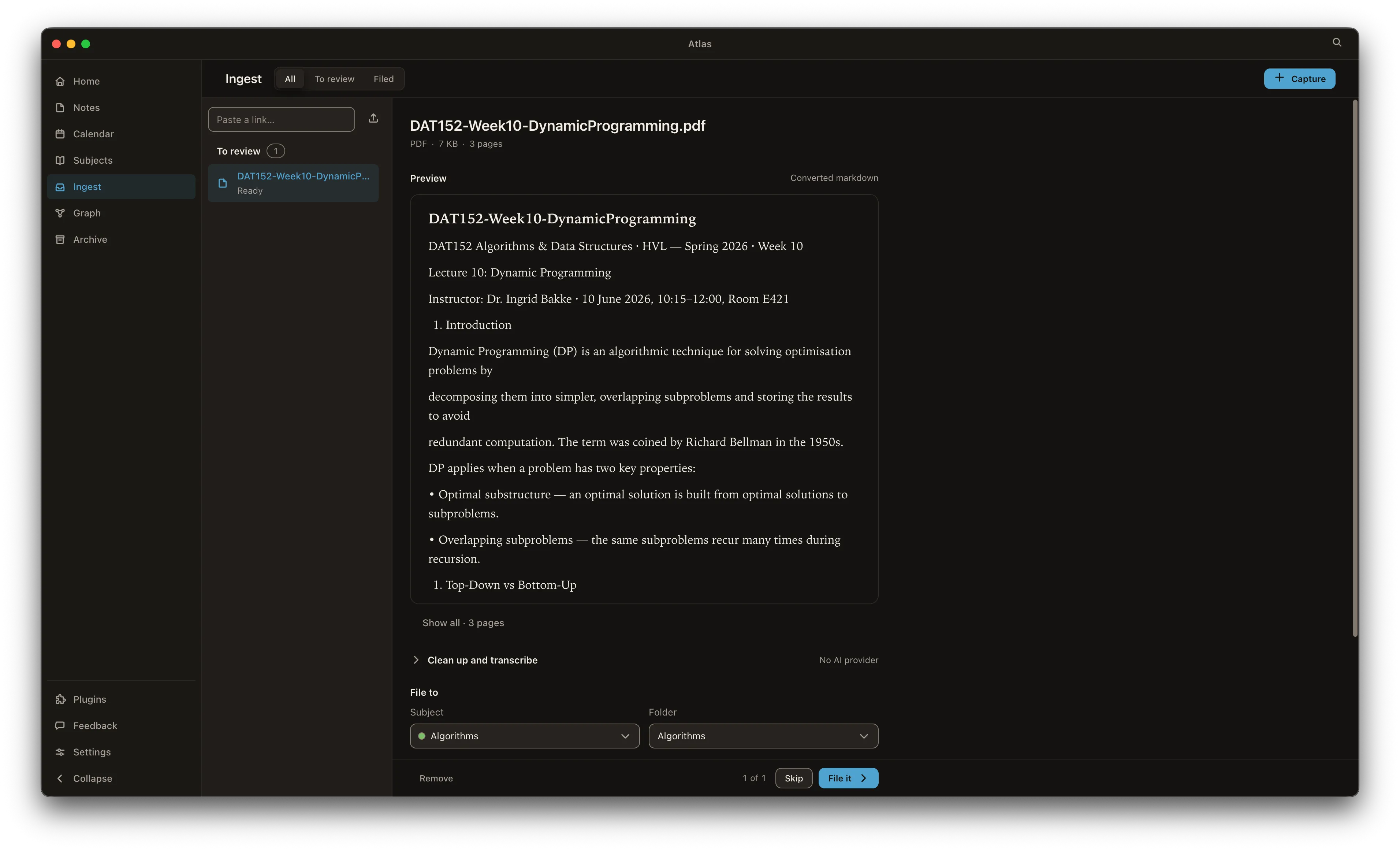
Drag in PDFs, slides, audio or images. Atlas converts them to markdown, transcribes audio and reads images on-device, then tidies the result with the LLM you choose.
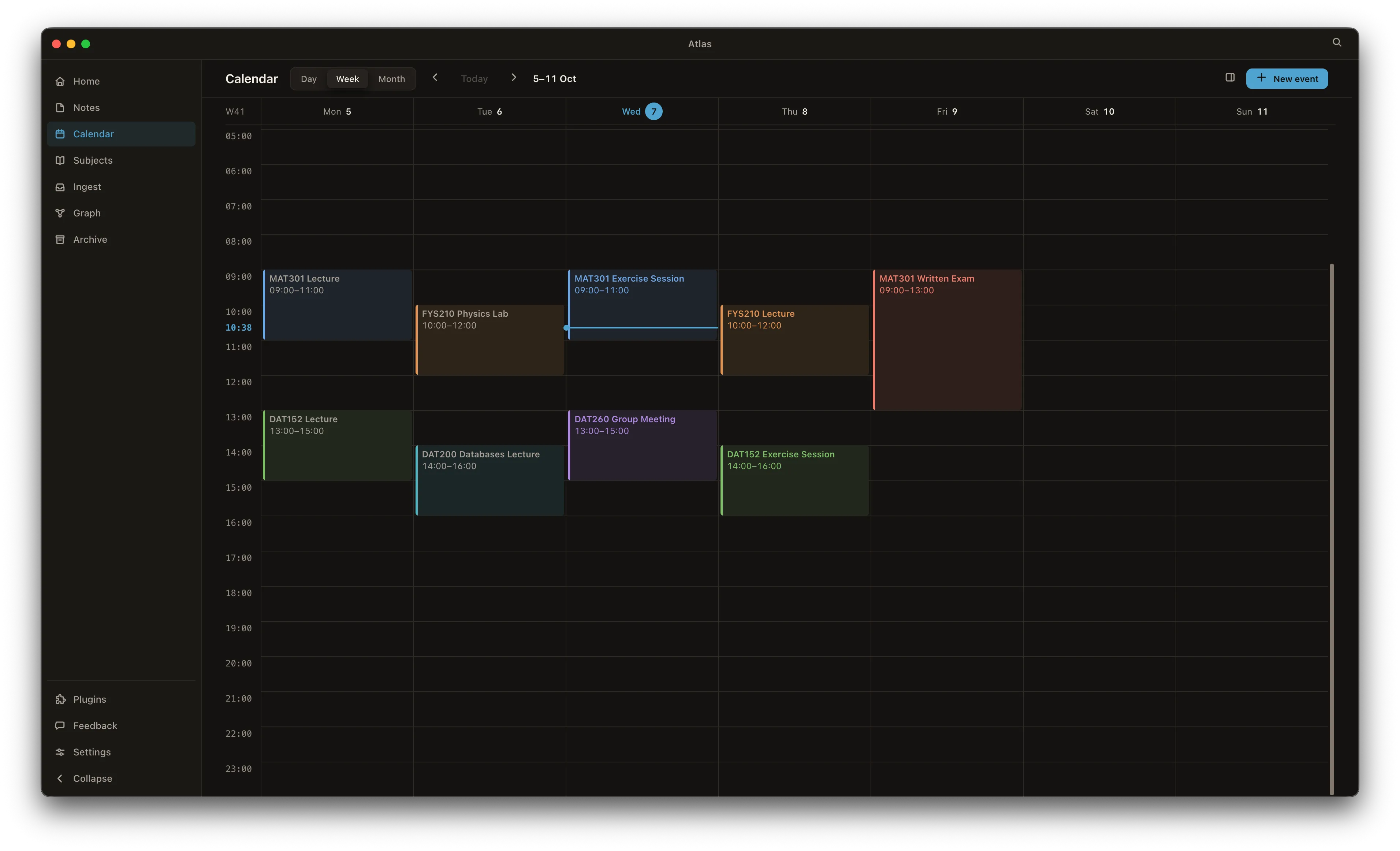
Subscribe to your TimeEdit feed and read or write Apple Calendar events — all on one weekly grid.
No cloud, no account, no sync, no telemetry. Your data is SQLite and markdown files on your Mac — nothing leaves it unless you ask it to. How privacy works →